
Give Value. Get Referrals.
Launch a branded resource board where local providers get visibility, your clients get trusted help, and your business becomes the name people remember.
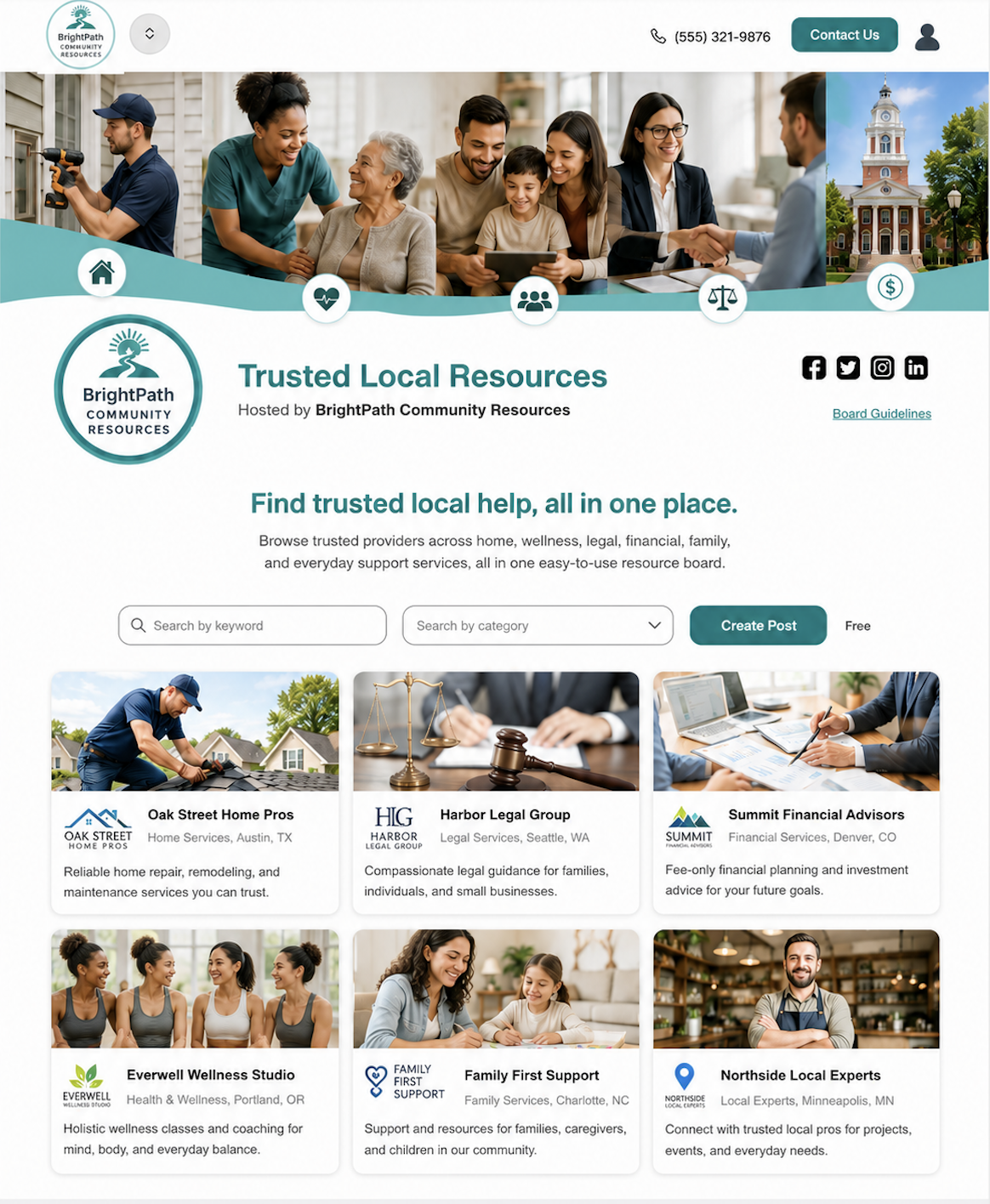
Help clients find useful services and give local providers more visibility, while strengthening the relationships that keep your business top of mind.

How It Works
Create Your Resource Board
Build a branded board for your business where your audience can easily find helpful local service providers.
Invite Your Provider Network
Share your board link with trusted providers, referral partners, or businesses you want to build relationships with.
Providers Add Themselves
Providers create and manage their own listings, including photos, service details, and contact links, so there is little ongoing work for you.
Share and Stay Visible
Share your board with clients, prospects, and your network to provide extra value while creating more visibility and referral opportunities for your business.
Features

Your Board, Your Branding

Provider-Created Listings

Photos and Direct Messaging

Open or Approval-Required Listings

Built-In Stripe Payments

Free or Paid Provider Listings
Your Go-To Resource Starts Here
Create Your BoardCreate a board your audience can return to and your business can grow with.
FAQ
Frequently Asked Questions
What is MemberGig?
MemberGig helps you create a branded resource board where local providers can showcase their services and your clients, customers, members, or community can find helpful resources. Your business stays visible as the source behind the board while giving providers a simple way to be seen.
Who is MemberGig designed for?
MemberGig is designed for service-based businesses, associations, networks, event organizers, creators, and community leaders who want to connect the people they serve with helpful providers. It can be used to support clients, customers, members, event attendees, or a local community.
Do I have to create and manage provider listings?
No. You create the board, choose your categories, and share the board link with providers. Providers create and manage their own listings, including photos, service details, and a website, booking, or contact link. This helps your board grow without you having to build every listing yourself.
How much does it cost to create a board?
That depends on how you want provider listings to work. You can pay a monthly subscription and allow providers to list for free, or create a monetized board where providers pay a monthly listing fee that you set. See the Pricing page for current subscription, platform, and payment-processing fees.
Can I control which providers list on my board?
Yes. You can choose an Open board, where providers can create listings without approval, or an Approval Required board, where providers must be approved before posting. With Approval Required, you can add up to three screening questions and approve providers that are a good fit for your board. Anyone with the board link can still view the board and browse listings.


 Continue with Google